Needed an ATA for an alarm system dial to the monitoring service so got an HT802. What is the trick to getting it setup? I connected it to the network and power and it grabbed an IP on the VoIP VLAN so we’re good there. I can see it in the UCM6300 web interface but it doesn’t seem to want to let me register it?
I accessed the web interface of the 802 directly and can config stuff there but still not fully getting integrated into the UCM. Perhaps I’m missing a step.
I did find a place where I can check the FXS1 port to be active but the extension I created in the UCM doesn’t show up in the drop-down list as an option for me to select; only all other extensions on the system appear there.
Any tips/tricks? After working with it for over an hour and having no luck I decided to annoy you all again with another question here…
I consider myself an experience novice so any suggestions will need to be somewhat detailed as far as what you mean, if you follow. Not like I do this full time is what I’m saying.
I believe it is in zero config. Look for the model in zero config → model type and add the model then you can create a template and manage it that way.
Otherwise you have to manually do it by putting in the sip server IP and username (extension) and the sip password. I am not near a UCM right now but I can almost bet it has a model template you can add.
I think I added the model but for some reason I couldn’t select the extension I created for it. It lists the other extensions on the system but not the one I created to be used for the alarm dialer.
OK, yeah like a dummy I had created it as an FXS so I’ve switched to SIP and solved that. But it still shows ‘unregistered’ in Zero Config. So, still working on that part.
Answering my own question here…hooked up a phone and did a test dial (genius, huh) and it called out. So maybe these don’t show ‘registered’ like regular extensions do?
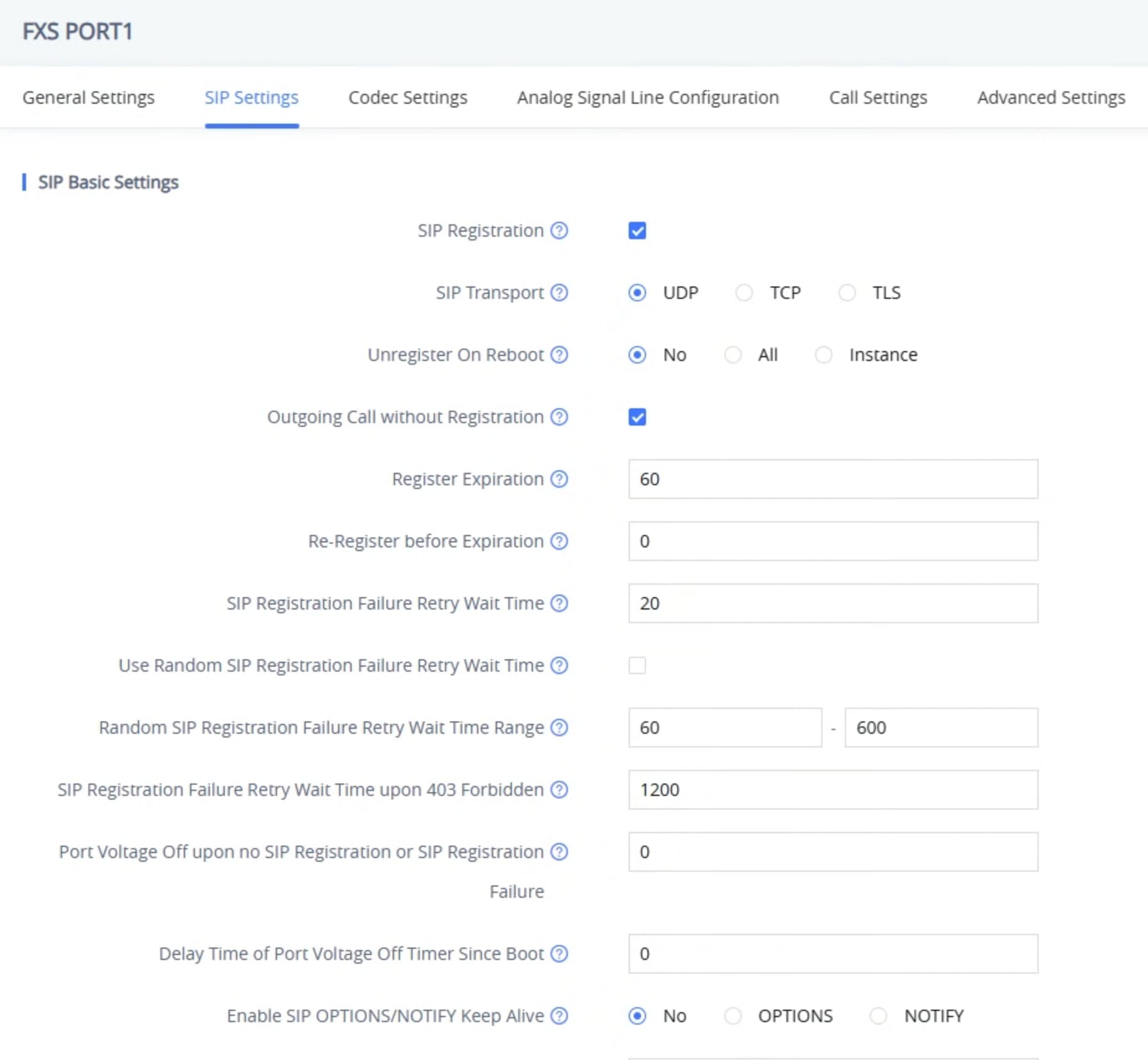
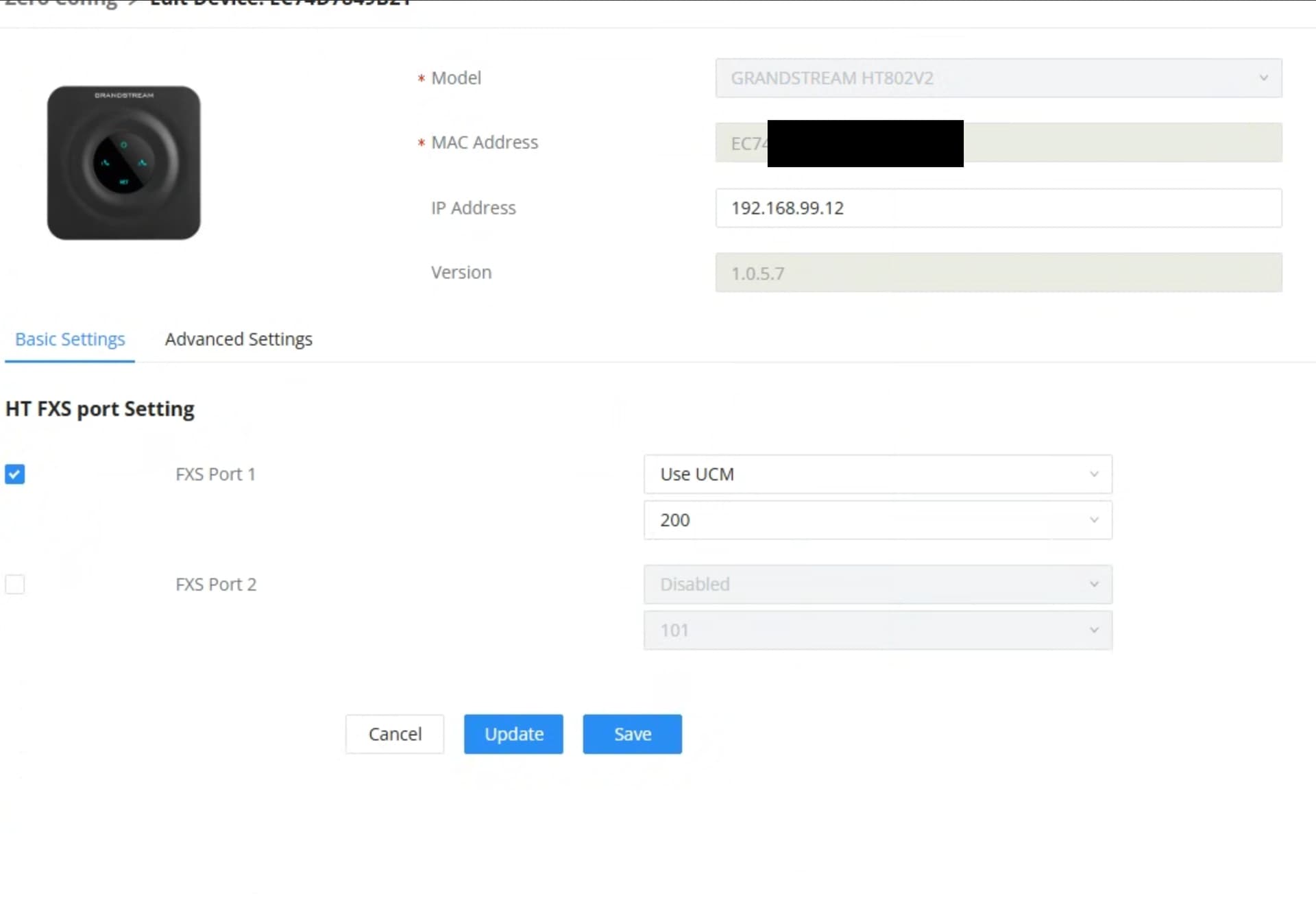
Still shows unregistered and I can’t figure out why. Not sure they’ll help but here are some screenshots from Zero Config as well as the HT802v2 itself. Maybe something will jump out. Probably something else I should have included but here are some…
This is all it shows in the Zero Config settings. I don’t see anywhere on any screen to ‘register’ it to an extension, either in Zero Config or on the device’s web interface itself. I may be missing it but I feel like I’ve read every line of every screen. Would love for someone to show me what I’m missing, though, because I’m sure I am to the point where I am just overlooking it.
I did verify I can call out from the extension (to other extensions or external numbers) and dial the extension itself from other extensions.
Yeah I bet if you look at the Extensions section it will show the device as registered. Not sure why it isn’t showing up in device management as that but you could maybe try to upgrade the firmware and also make sure you have the latest template installed too.
Yes, it does show under Extensions and all appears OK there. And it seems to function properly (can call in/out, calls appear in the CDR, appear in active calls when in a call, etc). Weird that it doesn’t appear in Device Management, as you said, but I just can’t figure out anywhere I’ve missed. Maybe if you or Willie are bored you can order one and see if you can figure out what I did wrong.
I have three HT801’s (not v2) and they have never showed up in Zero Config with an extension assigned. I was about to order some V2 models and was hoping they would be different. The HT80x devices have always seems to be treated differently. I cannot get my GS switches to identify them as SIP devices and assign my voice vlan to them, they will not accept special characters for the passwords, and in zero config they do not show up as registered, or the extension number assigned to them. The three listed below are online and processing calls. As said earlier, if I look at the extension then it shows registered, but not in zero config.
OK, thanks for that info. So that basically confirms I set them up correctly (kind of glad to know this…). Mine is the v2 so I don’t guess they’ve changed anything. Kind of weird (in my opinion) but perhaps there’s a reason. Maybe if Willie or James or someone has an inside line to someone they can find out but I guess I’m going to call it good as it seems to be functioning and is doing the same as yours. Thanks again.
OK, so before I reach out to the alarm system provider and have them send a tech, is there any reason that this would not be working for an alarm system panel monitoring service dial out?
I can connect a phone to the HT802v2 and make and receive calls. Connect the line from the alarm panel to it and do a test dial from the panel and it fails. Never even attempts as best I can tell.
Based on the alarm panel, it appears to be connected correctly. [Installer used solid blue and white/blue, which are connected to the red and green on the panel, as shown on the diagram.]
Previously, the alarm company had just ‘punched down’ the other end of the pair from the panel onto the same prongs on a 66 block as one of the extensions from the old phone system. That system was removed so nothing is traveling down that block down as it’s all IP. In my mind, the ATA would provide the same dial tone the panel is looking for and should work. But…fails.
I’m thinking I just have the alarm company send someone out but wanted to make sure I don’t have a ‘doh!’ thing going on. But with an analog phone working on the 802 I’m not sure what’s up.
Any ideas? Could there be a setting on the alarm system side that needs changed, maybe? I don’t see why it would but…
What happens if you test from the wires that go into the panel, do you get dialtone there?
Basically disconnect the wires from the panel and test the wiring to the ATA unless the ATA is right next to the panel…
Also, I assume it is an RJ11 crimped into some cross connect or a short piece of wire..maybe the crimp is not good? If anything take an old phone wire and cut it and use the red and green wires if there are 4 wires. If it is just two use those two.
Yeah, the ATA is on the other side of the wall from the alarm panel. So, about 3’ of wire right now as it runs up and over the wall. I did consider doing what you suggested as far as using another wire but haven’t been by there again to do that yet. That will be my next try; thanks for solidifying that as a good option.
I feel like maybe I’m not as dumb as I sometimes feel I am when it comes to this stuff….but hold your comments, I’m sure some of you feel I am! lol
Mark, you’re not dumb, just seeing some problems we old telephone guys have dealt with for years. The modular RJ11/12 jacks are mostly designed for stranded wire. They can be installed on solid wire, but they are easy to mess up or not get a good connection. What I have found as the easiest way to ensure a good connection is to do my solid wire connections to an RJ11/12 keystone type jack or even an old school screw terminal RJ11/12 jack. Use this on the HT80x end and then use a standard phone cord to connect the jack to the HT80x. Then on the other end of the cable at the alarm panel you can do the same thing if the alarm panel has a jack for the phone interface. The standard in the past was for alarm panels to use an RJ31X jack at the alarm panel. This basically routed the phone line into and out of the alarm panel, so if the line was for shared use, the alarm panel could seize the phone line and dial out. If you have a Butt Set, you can connect it to the wires going into the panel and ensure you have dial tone there. If you do, then the issue would be in the panel or way it is connected to the panel, and then you can pass the issue to the alarm company. Hope this helps, sorry it is a bit late.
Thanks for that info, Dave. I will do some additional testing.
The only thing I’ve thought of (or wondered about) is if the delay that the phone system has between a dialed number and it actually sending the call is affecting this at all. Meaning, is the alarm panel timing out because if it attempts to dial it either isn’t hearing the dial tone for some reason or it is but the call isn’t ringing/connecting quickly enough and it times out? Not sure, just a thought.
Is there a way to tell the HT80x to dial immediately?
Of course, when I watch the HT80x, it never flashes the ‘line 1’ light (phone receiver with a 1 icon, port 1 I guess it is). If I connect an analog phone and pick up the handset, that LED indicator blinks while it is in use making a call and whatever.