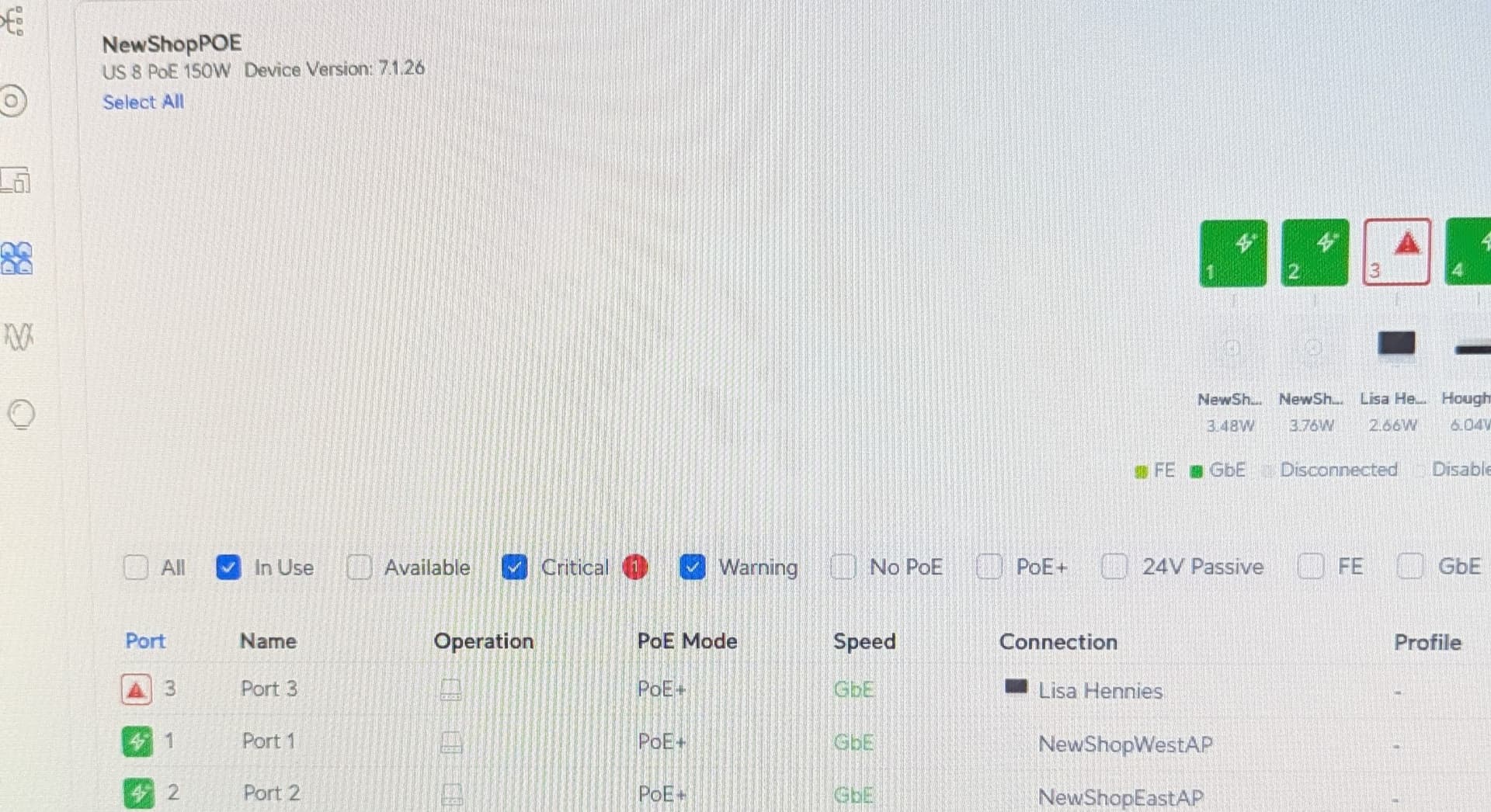
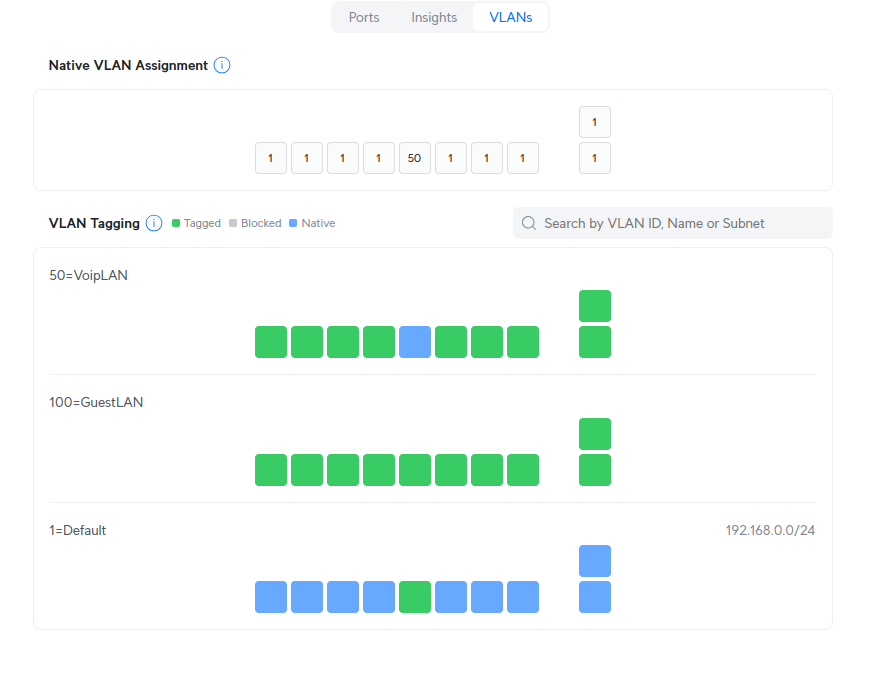
Morning all - experiencing a strange occurrence maybe someone else has seen. I plug a Polycom VVx phone into a port on US 8 PoE 150W Device Version: 7.1.26, when connected to the default LAN - works fine powers up, grabs IP address from DHCP no issue. If I change the port to my VLAN for Voip, the port shows a Red triangle exclamation and flashes STP port blocking.
I believe RSTP is on by default but have never really configured it or had to mess with it short of assigning higher numbers for the switches further away from the router in levels when Unifi complained about it, but we have no redundant switch set ups - there is only one cable connecting each - nothing fancy.
There are three switches all unifi between the phone and the router with the settings default Native VLAN/Network and Allow All for the tagged VLAN management.
Not really sure how to troubleshoot this. Any insight appreciated.
No WiFi (I mean it’s in the area but I don’t think the phone using any or even has the ability)
All I do on the port is change it from default /all to VoIP /all.
I’m gonna head over there tomorrow to see if I can figure out what it’s doing.
Its pretty weird - I have disabled the second port on the VVX450 - with the Phone configured for DHCP and the VLAN tag set, when I plug it into the port on the switch, the Unifi Dashboard almost instantly shows:
On Friday - it would stay in that state - today after about a minute or two (once the phone has actually grabbed an IP Address) - it clears. The phone grabs a VLAN IP Address and works as expected. The port itself on the Unifi switch is set to default allow all.
I thought I should be able to go into Insights or somewhere and see what was causing the block, but I cannot find any place that allows me to see why that port thinks there is a potential loop and with what? Is that at all possible? Like to see why this error message is being thrown? It is working now, but I am concerned that in the future - I may need to dig a bit deeper and see why this is occurring.
I do not - nor do I have the LAN set up based on your “Prepare Your Unifi Network for VOIP” video - I will watch that and go over my set up with a demo LAN and then see if I can implement it.
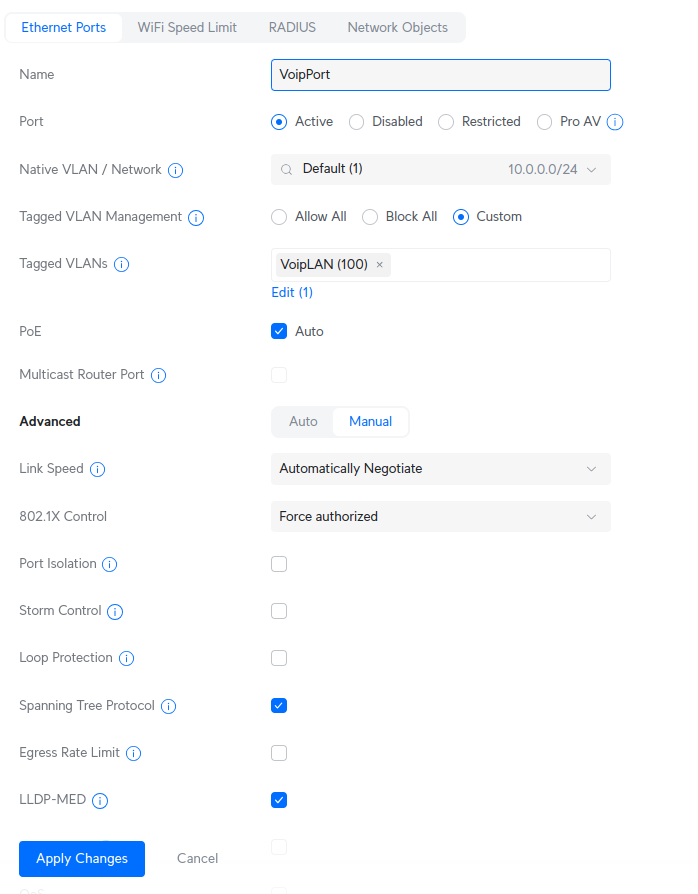
Looks like most information I can find about setting profiles for switches is using the old Unifi interface (yours is more up-to-date but does not match current Unifi interface) for creating Switch Port profiles, There seems to be very little about creating profiles in the new interface. I think I may have it but not 100%:
Pretty sure we want Navite to be default, then had to select Custom and my VoipLanand made LLDP-Med was checked. Apply change - then apply this profile to the port that my phone is plugged into.
However - I am finding it difficult in this new interface, where do I apply this port profile to the switch port the phone is plugged into?
Love to see an updated for the new Unifi interface, they keep changing things up!
Way more obscure than it used to be - I’ve never had to use a port profile before, kinda weird - I’ve always left the device alone (vanilla settings) and just assigned the port itself to a specific VLAN (so what ever I plugged into the port would go to that VLAN) and had no issues. Clearly i’ll have to try and get this dug into a bit more.