What is the trick to updating/changing the images the phones show as the screensaver on UCM6300 and GRP phones? It seems I ran across it somewhere before but now that I actually want to update them I can’t find where. AI sources have been less than helpful as they give instructions from I guess an older version of the interface…
I kind of wish there was a way to only have the screensaver engage after hours but I haven’t found a setting for that. So, we wanted to change the images that are shown.
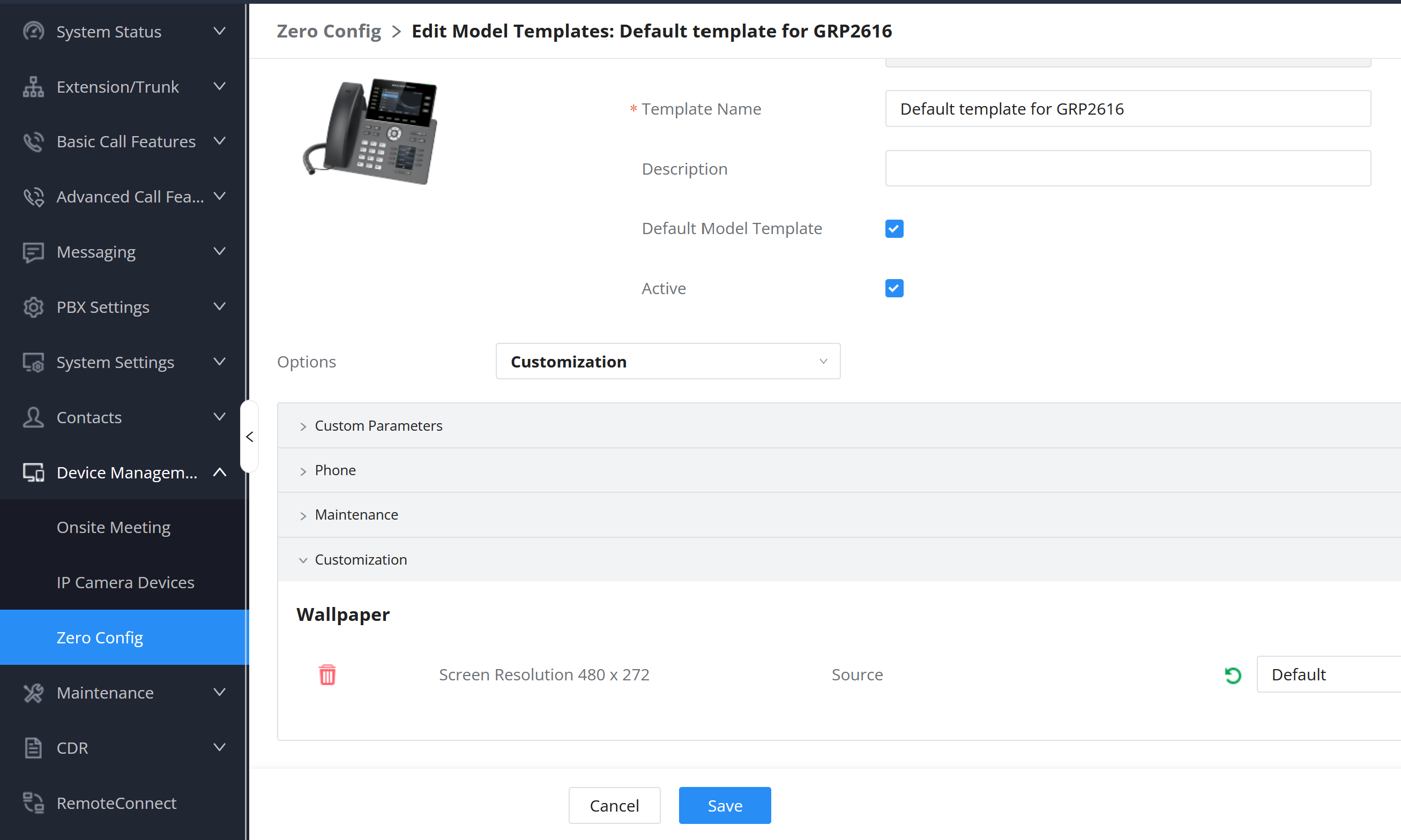
You can also assign the wallpaper from ZeroConfig, either one by one or in a model template. The reason for doing it via a model template is the resolution changes for different models. From there you can choose the source of the image.
It is under Customization section. In the Model Template screen you just click on the drop down for the options and choose Customization and there it will tell you the resolution of the image and you choose the source and the image name. In the device list to do it phone by phone, you have to go into the advanced section to find it. I tried to attach a screen shot of the view in the Model Template section.
Well, I have egg on my face! You ask about the screensaver and I answered the wallpaper.
You can set P-codes for the screen saver images and upload them via zeroconfig (by model or by phone) as well Not as easy as the wallpaper but can be done.
Below are the screensaver P-codes for the GRP26xx line for the latest firmware.
# Screensaver. 0 - No, 1 - Yes, 2 - On if no VPK is active. Default is 2
# Mandatory
P2918 = 2
# Use Programmable Keys in Screensaver. 0 - No, 1 - Yes, 2 - LED Only.
OK thanks. Yeah, I had found the wallpaper setting but nothing for screensaver (which is silly and an oversight on their part). Thanks for this info. Will see if I can figure it out. Still not 100% on where to upload them to but I’ll see if I can figure it out. Just not a fan of the default ones.
So I found a setting for wallpaper in, I think, the model template on GDMS but when I upload some images and tell it to use them, it still only shows the default ones on screensaver. I’m lost on how it’s supposed to work, I guess.
For everything great about these phones and the system, there are some oversights it seems they haven’t refined…or haven’t made it clear enough how we’re supposed to use them. It seems like I should be able to upload a few images and it would just cycle them. Maybe there is a trick. Pretty sure I pushed the config to the phones and even rebooted them but they still just show the default. What am I missing?