I would like to start off saying I know nothing about networking and firewall settings. I’ve been having issues getting Printing to work over vlan for a couple of years now (before that I had no issues with unifi’s older UI). The reason for not getting it fixed sooner is I’m trying to understand the basic networking by teaching myself. I did watch Howe’s video for setting up Printers and configuring vlans without zones from a few of weeks ago, still no luck.
MY Set up is a UDM pro, with several vlans, Default, Guest, and Printer vlan’s. (printer was on default before Howe’s video now the printer is on its own vlan).
Since I couldn’t get the cross vlan printing to work after the video I decided to switch to zone fire walls. In zone firewalls, default vlan located in Internal, Guest vlan located in Hotspot, and Printer located in a zone I created called Printer (I first tried internal.) I would like to have guest who use my wireless network (guest) that is tied to the vlan guest be able to print and would like to keep the guest vlan in the Hotspot zone.
For Reference I was able to set up rules so I can print from zone Internal to zone printer, I can also print from zone Guest to zone printer if I un-tag guest from hotspot and turn on Isolation for Guest network. But I’m looking to keep Guest network in Hotspot (mainly so I can configure other devices after I figure out printing)
My Guessing the Hotspot zone has some Firewall setting that I don’t understand and I’m not sure how to get around the default setting for Hotspot. Can some explain what I can try for firewall setting to keep my Guest vlan in Hotspot and still print to another vlan? Or explain why its not a good idea? I don’t trust myself setting up a new zone for guest and getting all the firewall correct, my thought are use the Hotspot zone and allow users to the Printers static IP address.
Thanks M
What access points are you using? You mentioned with the older APs you didn’t have any issues.
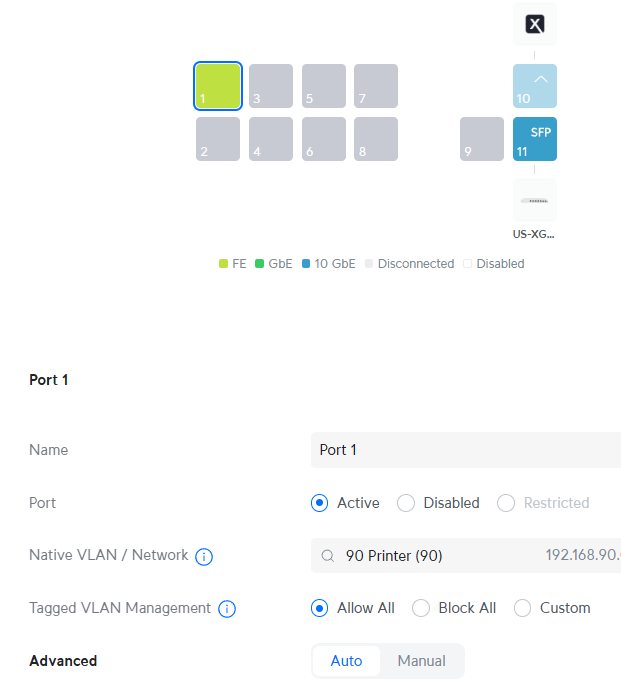
I don’t really have older AP there may have been a misunderstanding when I was talking about the UI (the UDM pro user interface), but for the equipment, printer is plugged into the UDM Pro port 1, and my main access point is a U6-E AP Plug into a US XG 6 PoE, the US XG 6 PoE is SFP into the UDM Pro. I hope the better explains the network. Note US XG 6 PoE does go to other switches but when test my setting my interpretation of the route would be U6-e to US XG 6 PoE to the udm to the printer.
Ok – so the port that the printer is plugged into – is the network on that port set to just the printer network for the native/untagged VLAN?
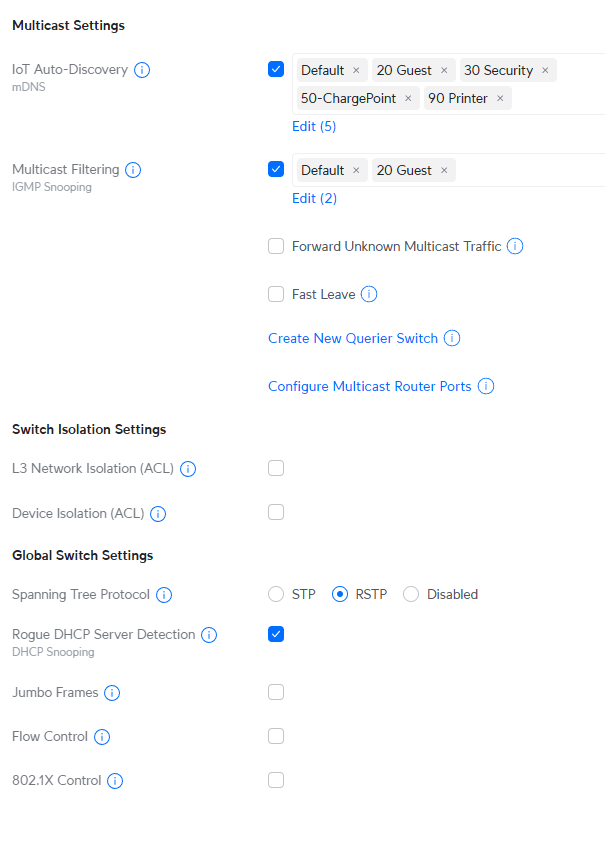
Do you have mDNS turned on for the main LAN and the printer LAN? What’s your firewall rule look like that segregates the networks?